
Brook Shiliew Cheap Zhi Meeting Nan mitmproxy client Network Activity Monitor iOS Old App Downloader SSH Terminal Subtitle 菜根谭 Socks5 Configurator File Link Markdown Editor IP AI nami joker brook ipio nico z zoro hancock mad httpserver google hosts
{{ zh ? 'Nan - 工作在 TCP/IP 层(非系统代理)的独立抓包解密 HTTPS 和 WebSocket 的应用' : 'Nan - A standalone application for packet capture and decryption of HTTPS and WebSocket, operating at the TCP/IP layer (non-system proxy) ' }}
{{zh ? '介绍' : 'Introduction'}} {{zh ? '下载' : 'Download'}} {{zh ? '问答' : 'FAQ'}}

{{zh ? 'iOS 视频' : 'iOS Video'}}

{{zh ? '工作在虚拟网卡级,非系统代理模式,避免有的应用不走代理。DNS, TCP 和 UDP。解密 HTTPS 和 WebSocket。Android 与此视频类似,可以在 Android 选择 App。' : 'Works at the virtual NIC level, not in system proxy mode, to prevent some applications from not going through the proxy. DNS, TCP and UDP. Decrypt HTTPS and WebSocket. The Android version is similar to this video, you can select the app on Android.'}}

{{zh ? 'macOS 视频' : 'macOS Video'}}

{{zh ? '工作在虚拟网卡级,非系统代理模式,避免有的应用不走代理。DNS, TCP, UDP 和发起网络请求的 AppID。解密 HTTPS 和 WebSocket。Windows 与此视频类似,可获得发起网络请求的应用路径,类似 macOS 上的 App ID。' : 'Works at the virtual NIC level, not in system proxy mode, to prevent some applications from not going through the proxy. DNS, TCP, UDP and AppID for initiating network requests. Decrypt HTTPS and WebSocket. The Windows version is similar to this video, can get application paths for initiating network requests, similar to App ID on macOS.'}}

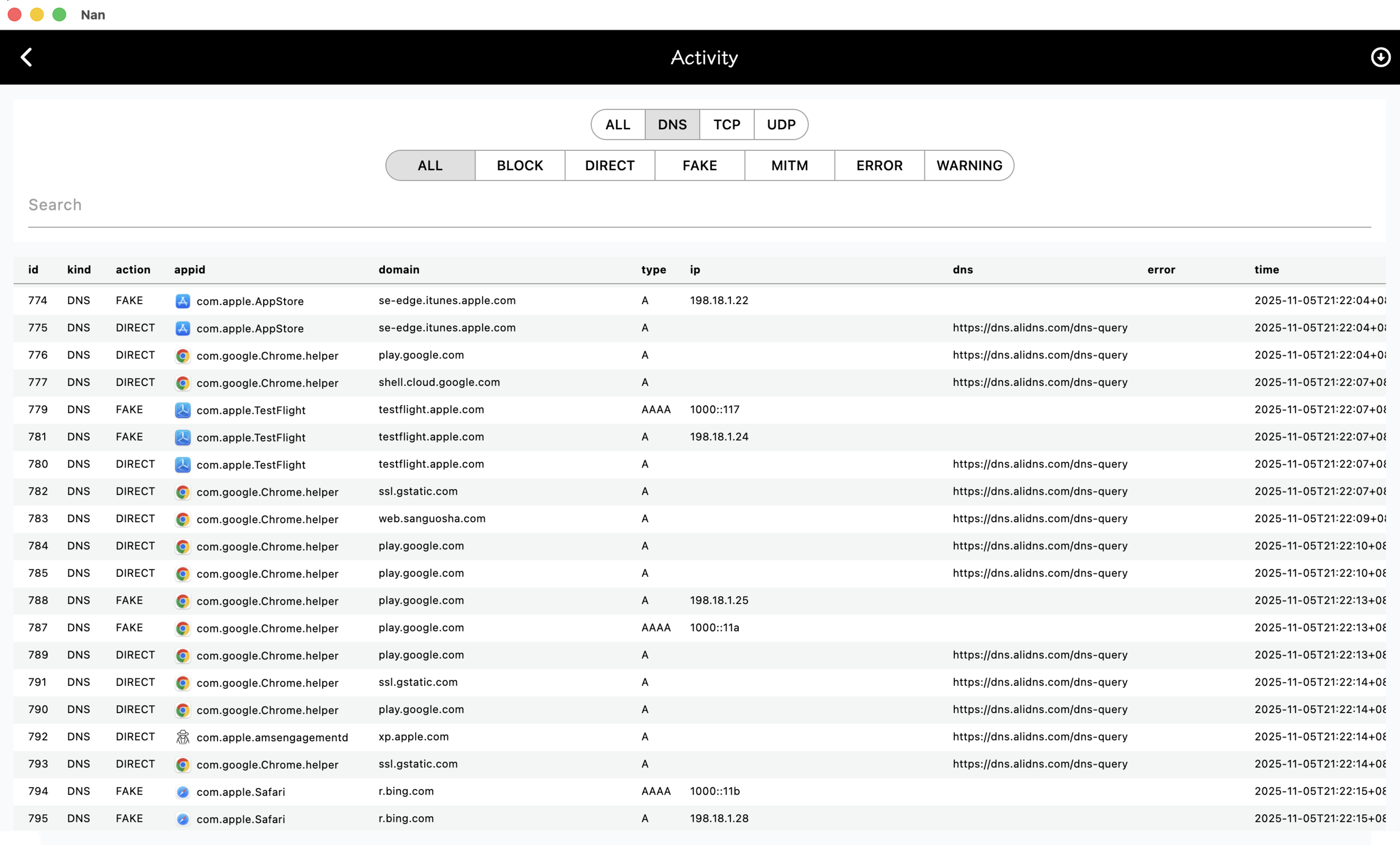
{{zh ? 'DNS' : 'DNS'}}

{{zh ? '截图是 macOS 平台,其他平台类似。' : 'The screenshot is from the macOS platform, other platforms are similar.'}}

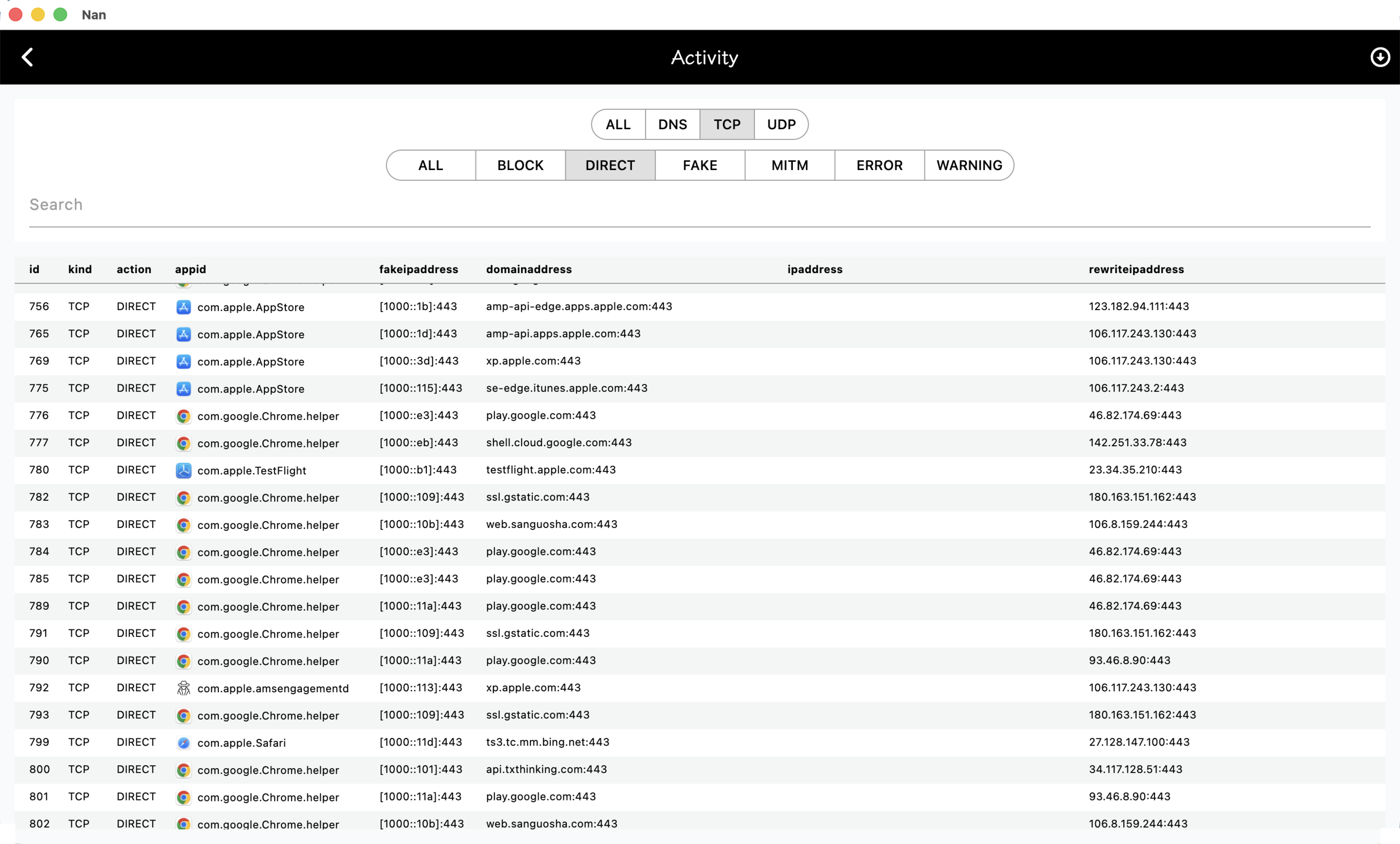
{{zh ? 'TCP' : 'TCP'}}

{{zh ? '截图是 macOS 平台,其他平台类似。' : 'The screenshot is from the macOS platform, other platforms are similar.'}}

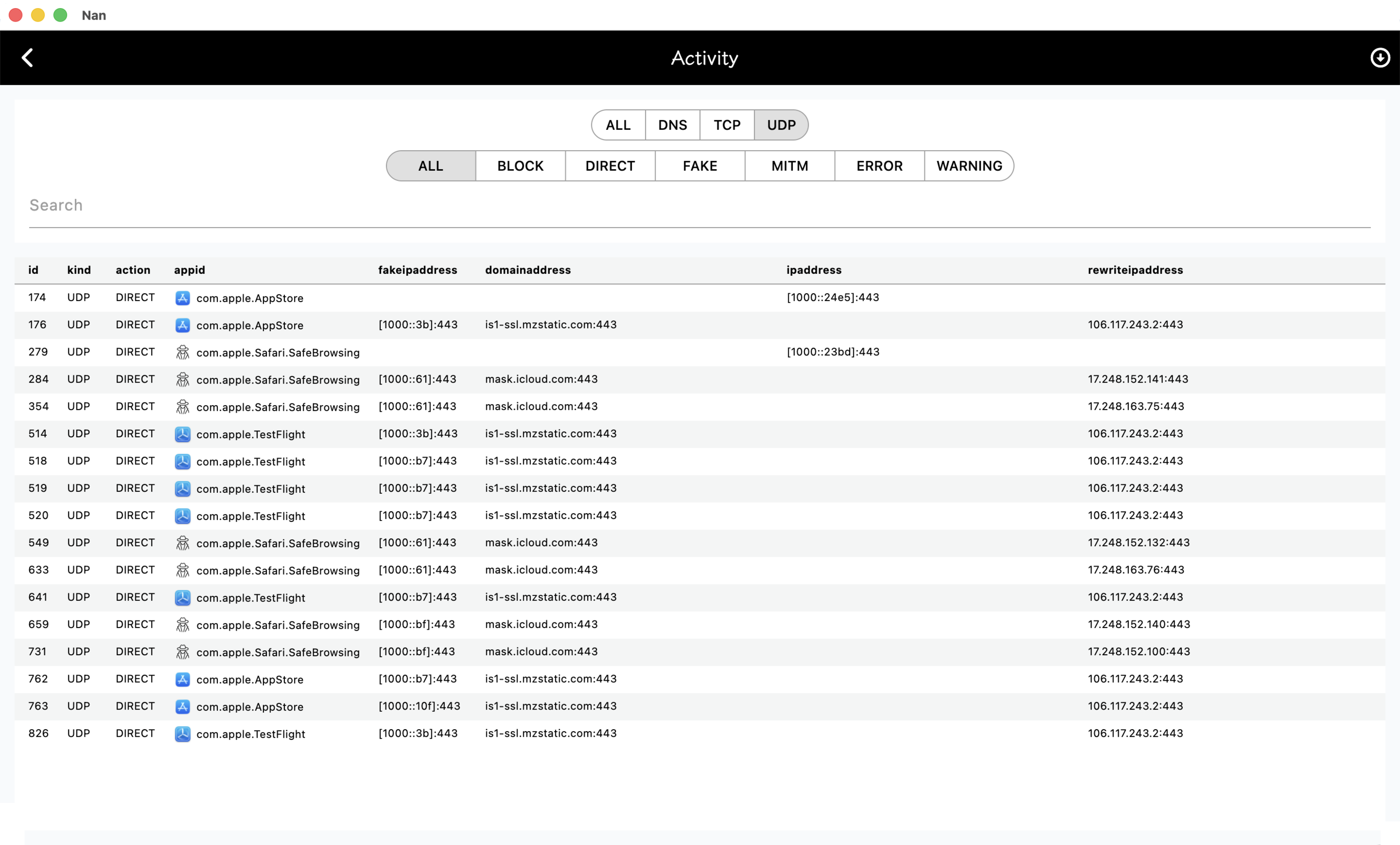
{{zh ? 'UDP' : 'UDP'}}

{{zh ? '截图是 macOS 平台,其他平台类似。' : 'The screenshot is from the macOS platform, other platforms are similar.'}}

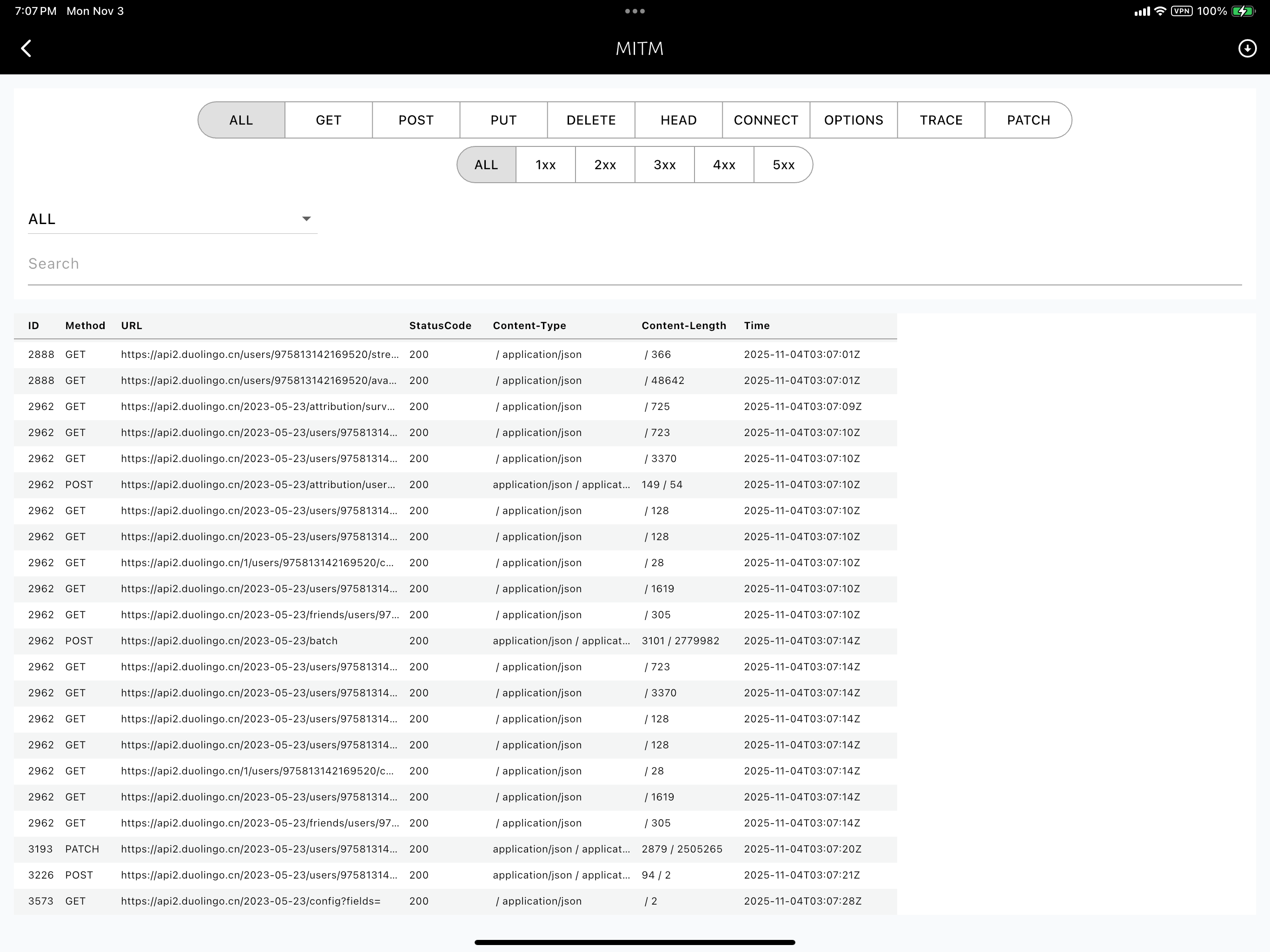
{{zh ? 'MITM' : 'MITM'}}

{{zh ? '截图是 iOS 平台,其他平台类似。' : 'The screenshot is from the iOS platform, other platforms are similar.'}}

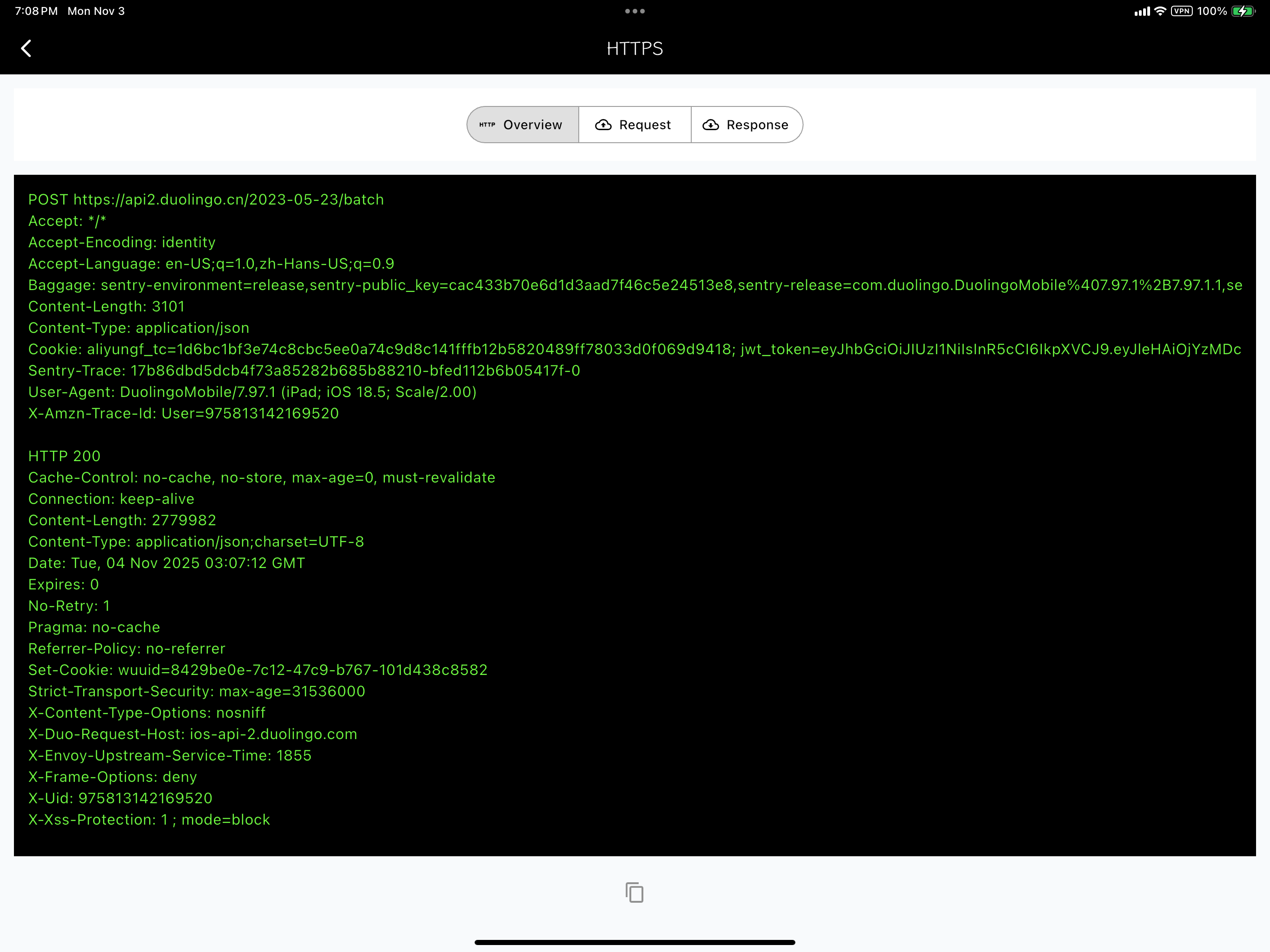
{{zh ? '解密 HTTPS Header' : 'Decrypt HTTPS Header'}}

{{zh ? '截图是 iOS 平台,其他平台类似。' : 'The screenshot is from the iOS platform, other platforms are similar.'}}

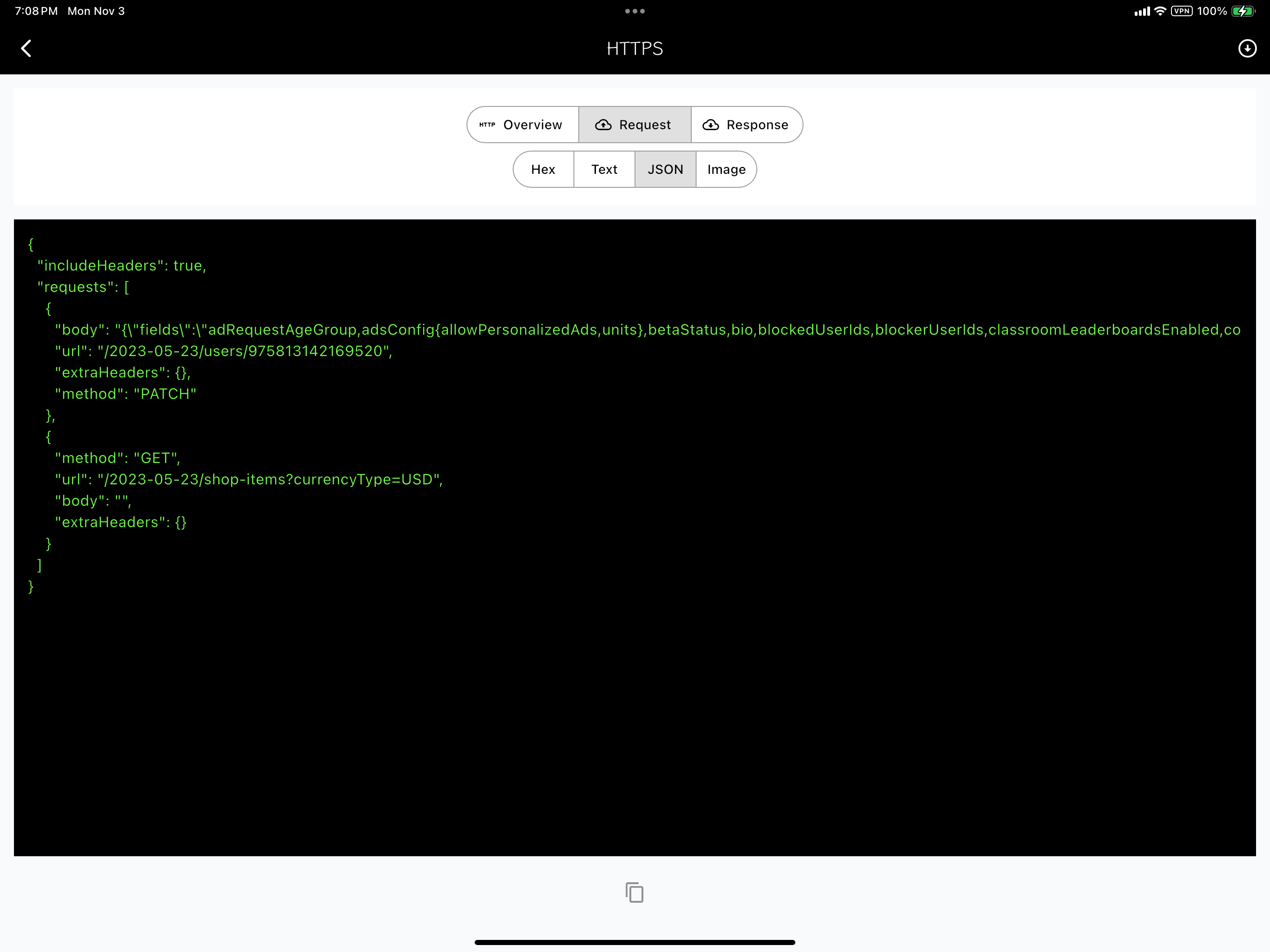
{{zh ? '解密 HTTPS Body' : 'Decrypt HTTPS Body'}}

{{zh ? '截图是 iOS 平台,其他平台类似。' : 'The screenshot is from the iOS platform, other platforms are similar.'}}

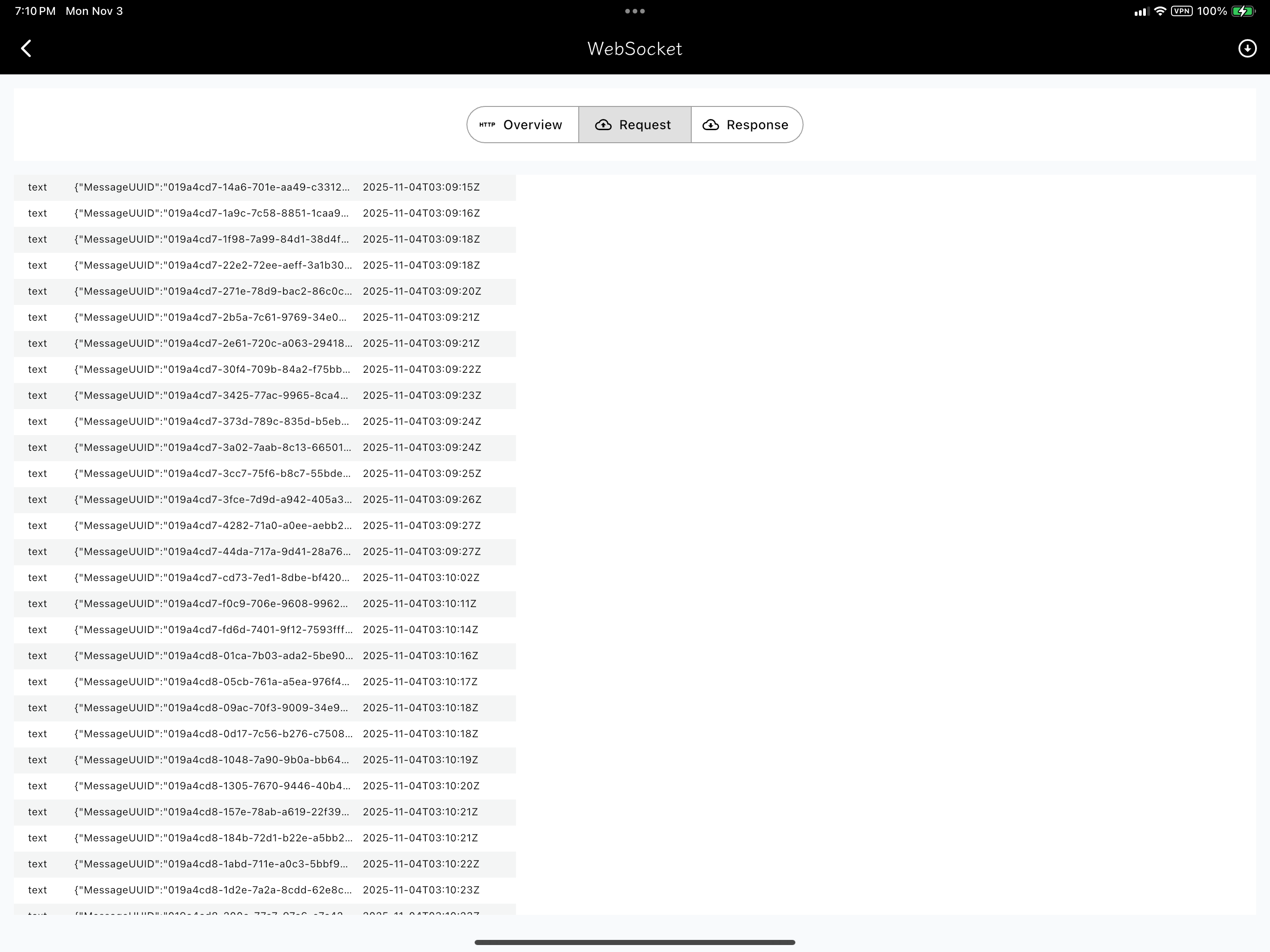
{{zh ? '解密 WebSocket' : 'Decrypt WebSocket'}}

{{zh ? '截图是 iOS 平台,其他平台类似。' : 'The screenshot is from the iOS platform, other platforms are similar.'}}

iOS
macOS
Android
Windows
iOS/macOS 客户端未在中国区 App Store 上架。你需要一个美区或港区 Apple ID。 iOS/macOS 客户端未在中国区 App Store 上架。你需要一个美区或港区 Apple ID。 {{ zh ? '如果你的系统网络设置处,自动从上游获取的 DNS 是不可路由的 DNS,比如 fe80::1,那么需要先手动将 DNS 改为 8.8.8.8。安装证书:1. bash <(curl https://bash.ooo/nami.sh) 2. nami install mad ca.txthinking 3. sudo mad install --ca ~/.nami/bin/ca.pem' : 'If your system network settings automatically obtain the DNS from the upstream is a non-routable DNS, such as fe80::1, then you need to manually change the DNS to 8.8.8.8 first. Install CA: 1. bash <(curl https://bash.ooo/nami.sh) 2. nami install mad ca.txthinking 3. mad install --ca ~/.nami/bin/ca.pem' }} {{ zh ? 'macOS 提供了获得发起网络请求的 App 的 ID,而 iOS 没有提供。如何安装证书,请仔细看视频的每一步。' : 'macOS provides a way to get the ID of the app that initiates the network request, but iOS does not. Please watch each step of the video carefully to learn how to install the certificate.'}} {{ zh ? '相较于其他系统,Android 提供了选择某个 App 的能力。Android 需要 ROOT 后安装证书。https://www.txthinking.com/ca.pem 部分设备需要重命名为 crt 后缀。' : 'Compared to other systems, Android provides the ability to select an App. Android requires rooting to install the certificate. https://www.txthinking.com/ca.pem Some devices need to be renamed to the .crt suffix.'}} {{ zh ? '用 GitBash 安装证书:1. bash <(curl https://bash.ooo/nami.sh) 2. nami install mad ca.txthinking 3. (这一步用 Admin 打开 GitBash) mad install --ca ~/.nami/bin/ca.pem' : 'Install CA in GitBash: 1. bash <(curl https://bash.ooo/nami.sh) 2. nami install mad ca.txthinking 3. (This step requires open GitBash with Admin) mad install --ca ~/.nami/bin/ca.pem' }}
© TxThinking, Inc. All Rights Reserved.